Live editing
- Shared map edits
- Collaborator presence
- Version history
OpnEarth keeps large maps moving and your team working together. Open KML and KMZ files, edit shared maps live, and keep comments and review in the same place. On Mac, Windows and the web.
Early access, one group at a time. macOS 13+ and Windows 10+. On a Mac?

Sharing & collaboration · Pro and Enterprise
Invite people to work on a shared map. Edit together, leave comments and review previous versions.
Web portal
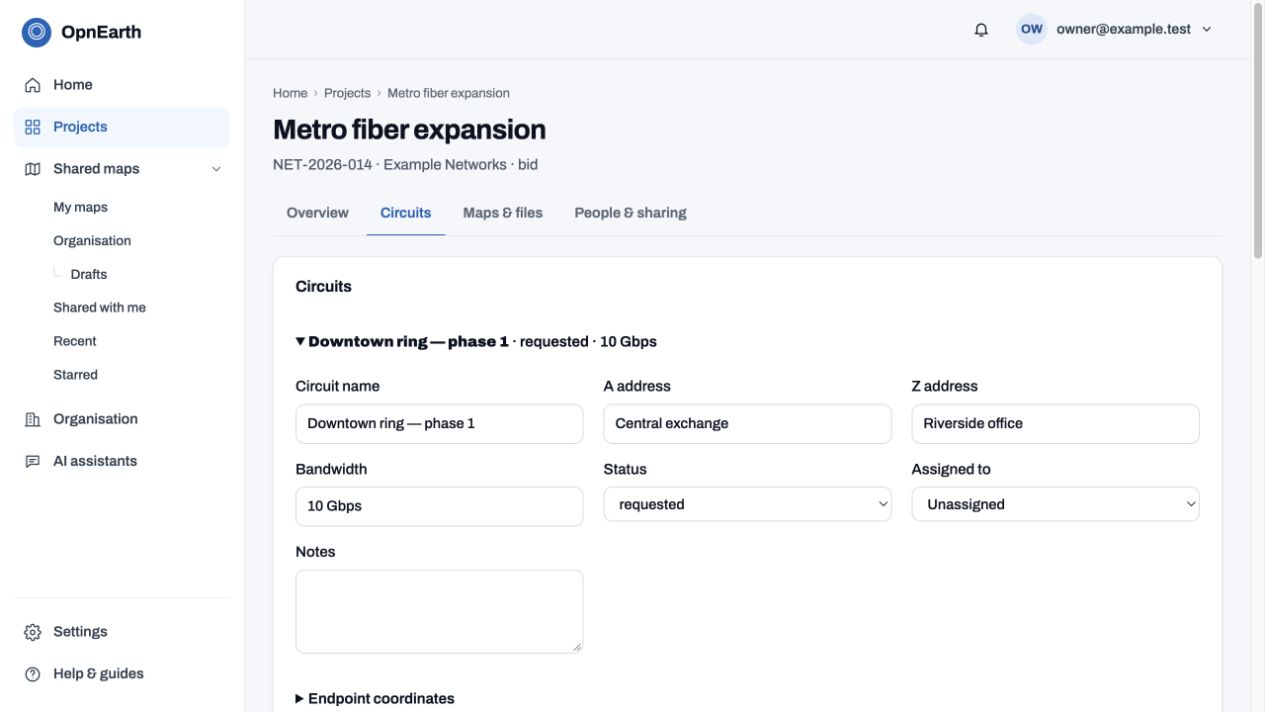
Manage shared maps in your browser. Enterprise adds organisation projects, circuits, groups and guest access.
Sharing example
People, groups and guest access. Manage permissions from the portal.
Lite is the desktop edition. Sharing and the web app require Pro or Enterprise. Modules are separate add-ons; none are included with a plan.
3.5 s
Opens huge maps
56 MB KMZ archive; about 374 MB of uncompressed KML.
4×
Faster than Google Earth Pro
Same file, same Windows PC.
No cap
On file size
Even in the free Lite edition.
Offline
Your files stay yours
Files on your computer open with no connection and stay there unless you choose to share.
Speeds measured with the same 56 MB KMZ: 3.5 s on a high-end Mac, and 7.6 s against 30.4 s for Google Earth Pro on a high-end Windows workstation.
Who it is for
A vendor or a contractor sends the file. You need answers from it today, without waiting on a GIS team.
Answer a quote request in minutes, not days.
See which addresses sit near your network, how far the connection runs and what it costs. When the carrier sends a new version, see exactly what changed.
Put the plan in front of everyone.
Open the site plan on a map anyone can read, check the contractor's as-built against the design, and hand the crew a clear list of what is off.
Keep sensitive network maps in-house.
Files open from your own computer and are not uploaded. When you do share a map, you pick exactly what goes out.
Build the funding case from the map.
Count the buildings a proposed route passes, and open even national coverage maps without the screen freezing.
Mac and Windows. Web app with Pro and Enterprise.
In brief
OpnEarth brings high-performance maps and live collaboration together. Open large map files, work together and share maps with your team or customers.
On a Mac? Preview KML and KMZ in Finder with Quick Look.
Compare
The main points, side by side. OpnEarth is the only one with AI built in that can run privately on your own computer.
| Feature | OpnEarth Lite | OpnEarth Pro | OpnEarth Enterprise | Google Earth ProGoogle will stop offering Earth Pro for download on June 25, 2027; installed copies keep working. Its Mac version is built for Intel, and Apple says macOS 27 is the last release to run Intel-only apps on Apple silicon Macs. | Google Earth Web | QGIS | ArcGIS (Pro / Online) | GeoLibre ** |
|---|---|---|---|---|---|---|---|---|
| Opening a very large KMZ * | Same speed as Pro, no size limit | In seconds: 7.6 s on a high-end Windows workstation | Same as Pro | 30.4 s on the same workstation | Import limit of 250,000 points | An import step first | Pro adds it; Online takes KML up to 10 MB | Not yet timed |
| Keeps the original styling | Yes | Yes: colours, icons and pop-ups | Same as Pro | Yes | Partly | Needs restyling | Yes; editing needs a conversion | Mostly: styles, folders and overlays |
| Runs on ** | Mac and Windows | Mac and Windows | Same as Pro | Windows; ending on Mac | A web browser | Mac, Windows and Linux | Pro on Windows; Online in a web browser | Mac, Windows, Linux, phones and a web browser |
| Web app, no install needed | No | Yes, in your browser | Same as Pro | No | Yes | No | Online, yes | Yes |
| AI built in, private on your own computer | Yes, on your own computer | Yes, or any provider you choose | Same as Pro | No | No | No built-in | Cloud assistants | Yes, with Ollama |
| Share a map for approval | No | A web link, with comments | Same as Pro | Send the file | Shares the project | Send the file | Online shares web maps with groups | A web link, with comments |
| Works offline | Yes: your files, saved map areas and a built-in map | Yes, and shares wait for a connection | Same as Pro | Your files, and a cache of places you viewed | No | Yes, with local data | Pro yes; Online no | Your files in the desktop app, and map areas you extract |
| Preview KML and KMZ in Finder (Quick Look) | Yes, on Mac | Yes, on Mac | Same as Pro | No | No | No | No | No |
| For your organisation | No | No | Admin console, members and roles, shared maps and themes | No | No | No | Yes, in ArcGIS Online | Not documented |
| Price | Free for non-commercial use | Yearly plan for commercial use | On request: contact us | Free | Free | Free and open source | Paid yearly licence | Free and open source |
Timings: one 56 MB KMZ, opened in each application in turn on the same high-end Windows workstation. Google Earth Pro: Google's notice on downloads ending June 25, 2027, and Apple's notice that macOS 27 is the last release to run Intel-only apps. GeoLibre: its features list and the web app, checked September 29, 2026; the full comparison lists every source.
Speed
Recorded desktop benchmarks using a 56 MB KMZ archive (about 374 MB of uncompressed KML). Results depend on the computer and file.
The same 56 MB KMZ, containing about 374 MB of uncompressed KML, drawn in 3.5 seconds on the tested Mac.
On a high-end Windows workstation: about 4 times faster than Google Earth Pro on the same machine (30.4 seconds).
No edition-based size cap for local desktop files. Available memory limits what can open; web uploads have separate limits.
Reopen a file you were looking at and the camera and layers come back as you left them.
Try it on your own biggest file.
The same 56 MB KMZ on the same Windows PC: OpnEarth draws it in 7.6 seconds, Google Earth Pro in 30.4.
Platform
Open and explore your map files directly in your browser, with nothing to install. Sign in with Pro, Enterprise or an active Pro trial to get started.
Pro & EnterpriseA fast 3D globe for Mac and Windows. Open large local files with the sender’s styling, measure distances, draw an elevation profile, and sketch or edit lines.
Lite: free for personal useSee kilometres and counts by owner or status, filter and edit the data, and join your own spreadsheet. Send the results to Excel.
ProSee what changed between two versions of a route, count the buildings it passes and quote a list of addresses or trace each carrier's fibre path between two. Print a map book, or a route package with the crossings and permit forms.
ProSend a link instead of the file. Your client opens the map in a browser with nothing to install, and you choose what they see and who gets in.
ProBring in live map data published by cities, utilities and agencies, and see it beside your own files.
ProAsk in plain words, such as how many kilometres each owner has, and the answer points to the places on the map. Pro works with any AI provider and with Claude or Codex. Lite runs it privately on your own computer.
ProManage shared maps, projects and your team in the web portal. Need more? Explore add-on modules for Pro and Enterprise.
Mac and Windows. Web app with Pro and Enterprise.
FAQ
Short answers about speed, AI, privacy and getting started.
Very fast. A 56 MB carrier KMZ opens in 7.6 seconds on a high-end Windows workstation, about 4 times faster than Google Earth Pro on the same machine.
Big ones. OpnEarth opens map files with over 300 MB of data without a hitch, even in the free Lite edition, and no edition has a file-size limit.
Yes. Drag your file in and it opens, looking exactly like the sender made it. No setup, no import steps, no GIS training.
Yes. Ask in plain words and the answer highlights the places on the map. Lite uses Ollama or LM Studio on your own computer; Pro adds any AI provider and works with Claude Desktop, Claude Code and Codex.
Yes. Files on your computer open with no connection and stay there. Only a map you choose to share goes online, with just the details you pick.
Yes, with Pro. Send a link and they open the map in any browser, with nothing to install. You choose what they see and who can open it.
OpnEarth comes with open satellite imagery and elevation that you can use for work. Google's own imagery is licensed to Google's apps only.
Now, in early access. Lite is free for non-commercial use and Pro is for work. Request access and we will email your download link.
OpnEarth is in early access for Mac and Windows. Request access and we will email your download link when your group opens.
We only email you about your access. No spam.
Can't install apps? Use OpnEarth in your browser with Pro.